
Product study · VIGGO
From payment to the inventory record.
A look at the cash register and inventory ledger in VIGGO: two views for reviewing a shift’s payments and a product’s movements by branch.
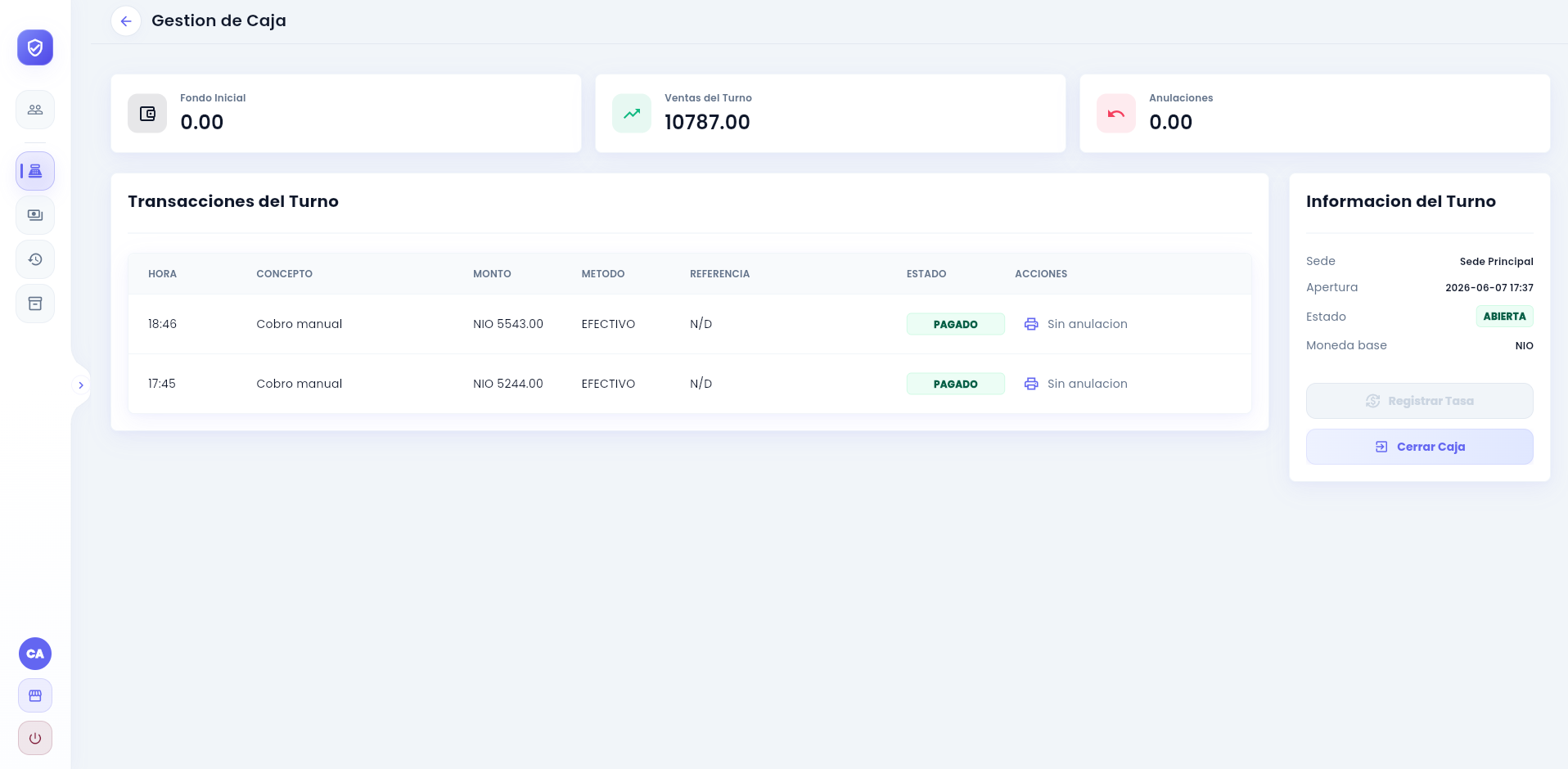
Cash register: transactions, amounts and shift status.
Open full captureThe operational need
Reviewing an operation takes more than a total.
At the cash register, the amount collected matters, along with when it was paid, what it was for, the payment method and the shift. In inventory, a stock balance needs the context of its incoming and outgoing movements.
To review that activity, the team needs transaction and movement records that can be checked by branch and period.
The solution
Cash register and inventory in the same system.
VIGGO brings customers, services, sales, payments and inventory together. The cash register screen presents the shift’s transactions with the payment method, reference and status of each record.
The inventory ledger lets the team review a product by branch and date range. Each movement shows its type, document, quantity in, quantity out and balance, preserving the detail behind current stock.
How it works
From the shift to an individual movement.
-
Review the cash register
Check opening funds, sales and voids alongside the branch and shift status.
-
Inspect a transaction
Review the time, concept, amount, payment method, reference and payment status.
-
Follow stock movements
Choose a product, branch and period in the ledger to see quantities in, quantities out and the balance.
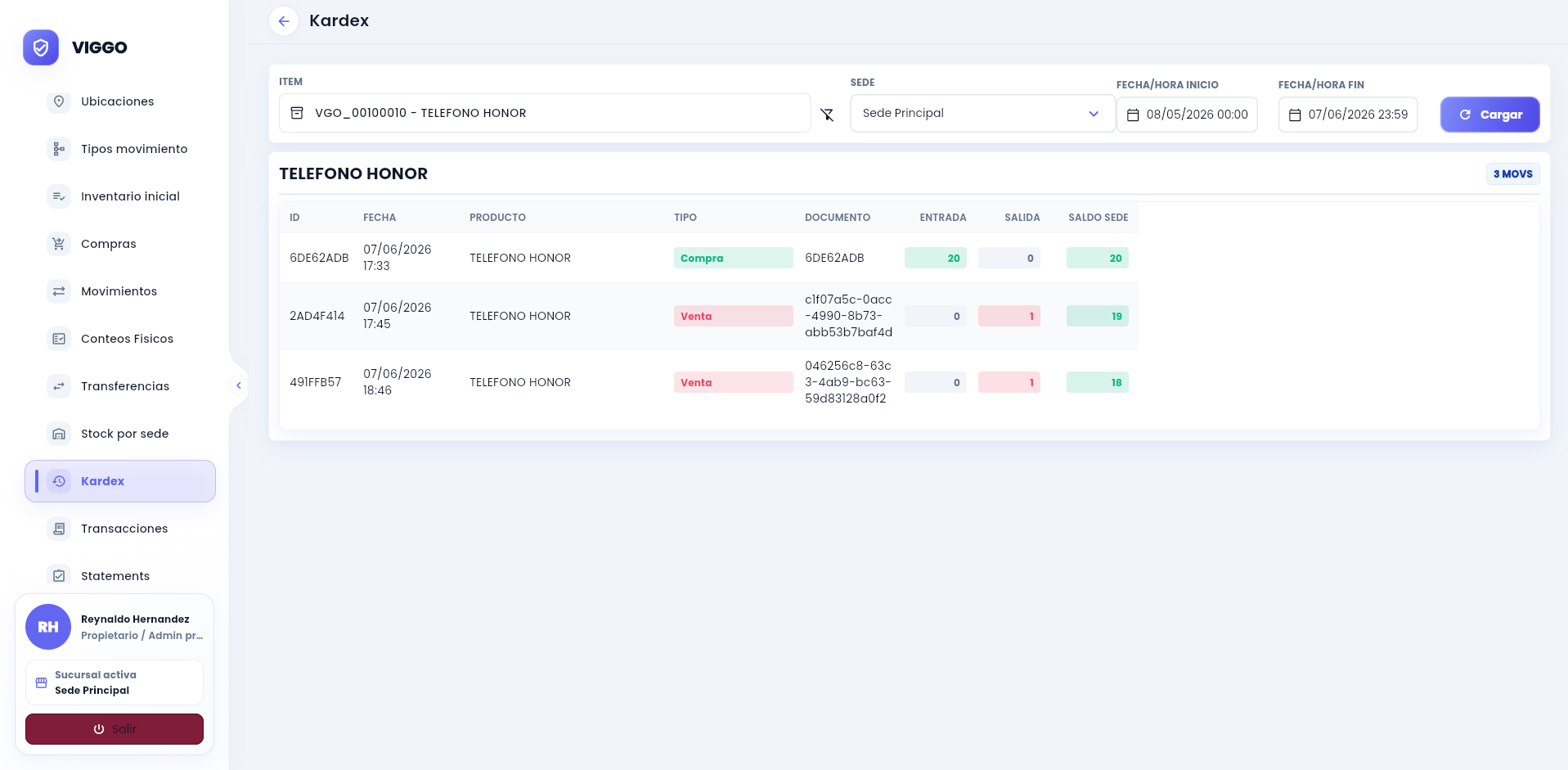
Inventory ledger: each incoming and outgoing movement retains its document and branch balance.
Open full capture