
Product study · Takofy
The journey of a restaurant order.
How Takofy keeps the table, items and order status together, from taking an order to the kitchen marking it ready.
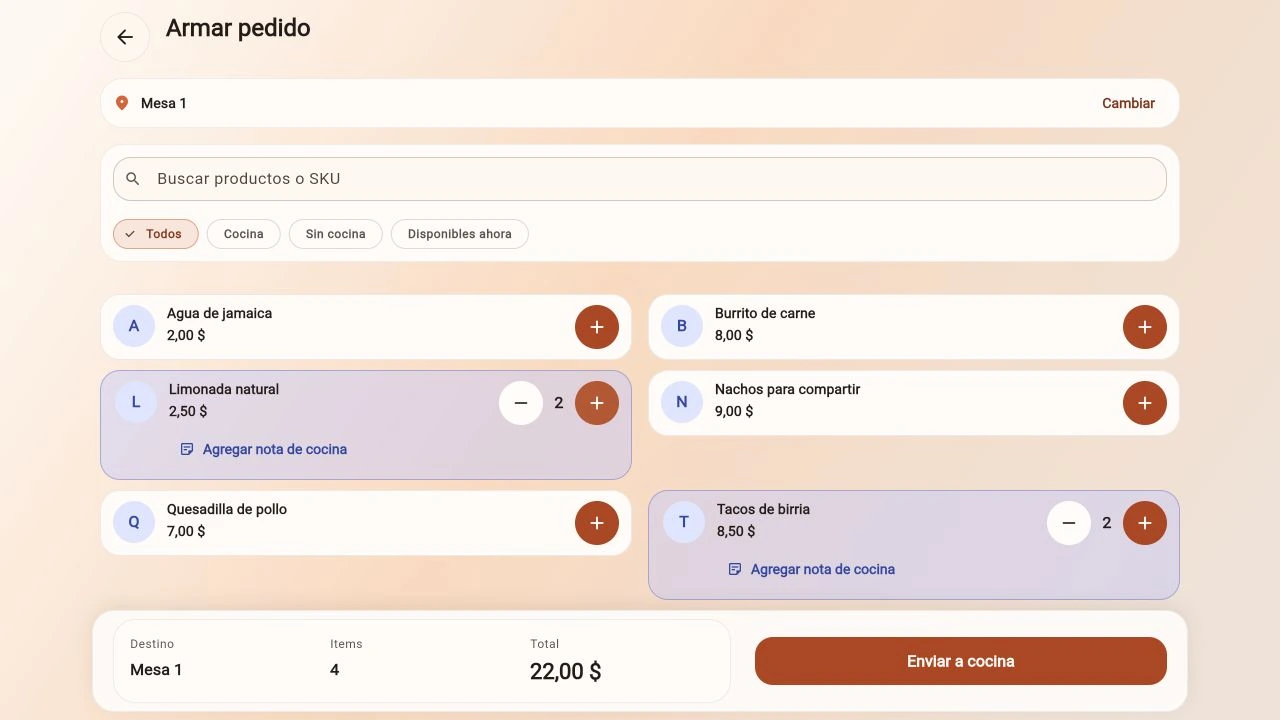
Preparing an order. Takofy screen with an example restaurant.
Open full captureThe operational need
The order changes hands. Its information needs to follow.
Front of house takes the order and the kitchen prepares the food. Throughout that process, the team needs the destination table, items, quantities and preparation notes.
The team also needs to distinguish newly received orders from those being prepared or ready to serve.
The solution
An order shared by front of house and the kitchen.
Takofy brings tables, orders, payments, kitchen workflow and inventory into one application. On the order screen, the team selects products, adjusts quantities and adds notes while keeping the table and total visible.
The kitchen board shows each order with its items, quantities and waiting time. Received, preparing and ready states show where each order is in the workflow.
How it works
What it looks like during service.
-
Build the order
Select menu items, adjust quantities and add the notes the kitchen needs.
-
Send it to the kitchen
Review the destination table and total before using the send-to-kitchen action.
-
Follow preparation
Review orders on the board, move an order to preparing and mark it ready to serve.
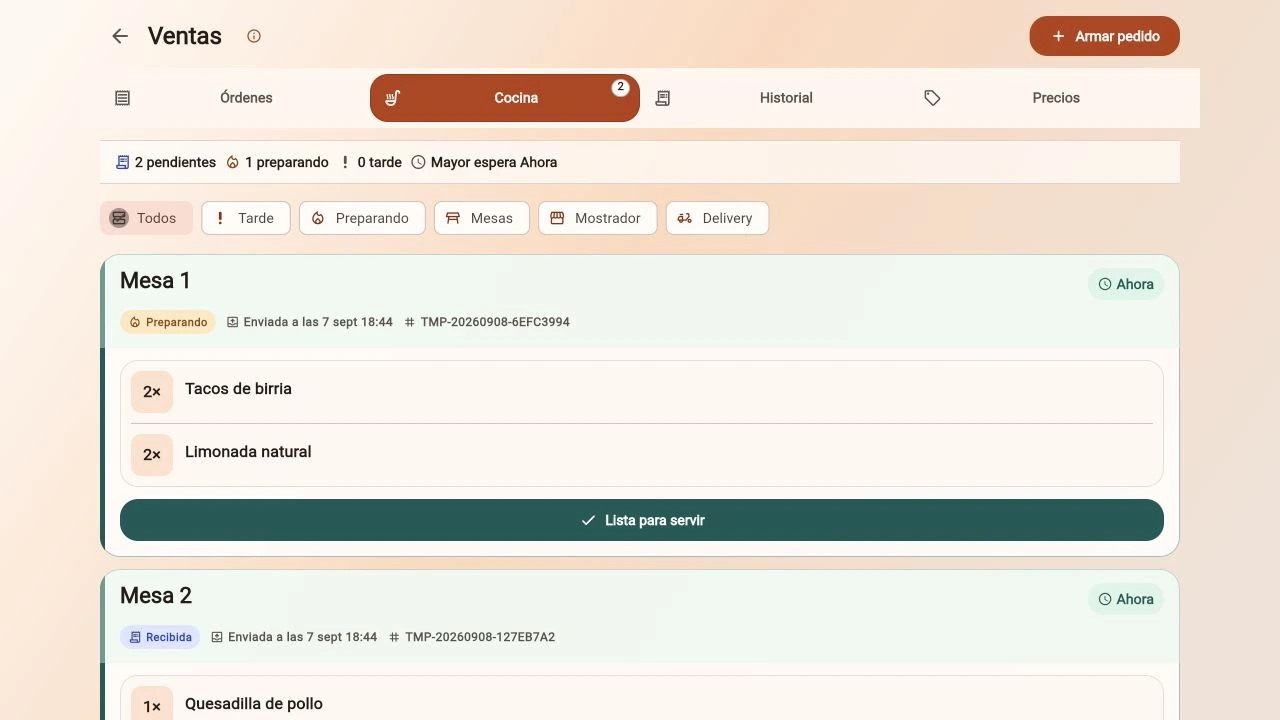
The kitchen view keeps the items and quantities for each table together. Example data.
Open full capture